
Learning the intricacies of remote IT support is crucial for maintaining organizational flow and achieving operational excellence in a digital-first economy. Understanding that a robust technical infrastructure serves as the backbone of remote productivity allows businesses to preemptively address potential disruptions before they escalate into costly periods of downtime. Discovering the most effective ways to bridge the gap between physical distance and technical resolution will empower your team to operate with confidence and efficiency in any environment.
Developing a comprehensive tech support infrastructure remains a significant challenge for organizations transitioning to permanent remote or hybrid work models. Failing to provide consistent and reliable access to IT personnel can lead to prolonged technical hurdles that drain employee morale and decrease overall output. You can mitigate these risks by establishing a dedicated remote support channel, such as the professional options found at https://networkrepair1.com/remote-services, where expert technicians provide immediate assistance to resolve complex system issues. Implementing a reliable support framework ensures that your workforce remains connected and productive regardless of their physical location or the complexity of their technical needs.

Unlocking the secrets of cybersecurity in a remote setting requires a shift from traditional perimeter-based security to a more dynamic and decentralized approach. Overlooking the importance of secure network connections is a common error that exposes sensitive corporate data to unauthorized access and potential cyber threats. You must prioritize the deployment of advanced VPN protocols and multi-factor authentication to create a layered defense strategy that protects your digital assets. Following a structured security protocol, such as the one detailed in our password security guide, significantly enhances your ability to defend against sophisticated phishing attacks and unauthorized system entries.
Recognizing that business technology requirements are constantly evolving is essential for staying ahead of the curve in a competitive market. Many organizations suffer from using static IT solutions that were designed for a smaller, localized workforce and fail to scale as the company expands its reach. Partnering with a flexible IT provider that can adapt to high-level challenges like cloud integration and unified communications will facilitate seamless growth. You can ensure your technical capabilities keep pace with your ambitions by regularly auditing your systems and upgrading to solutions that support increased demand and complexity.
Discovering the power of specialized remote tools like Microsoft Quick Assist can transform the way your IT department handles troubleshooting and system maintenance. Relying on generic, non-specialized software often leads to missing essential features and creates data silos that hinder the flow of information across your organization. You should invest in tools that offer secure screen-sharing and administrative control to allow for rapid diagnosis and resolution of software conflicts. Utilizing integrated technology specifically designed for IT operations ensures that your support team can deliver high-quality assistance without the friction of incompatible software platforms.

Maintaining a rigorous schedule for software updates and security patches is a fundamental practice that prevents performance degradation and keeps vulnerabilities at bay. Neglecting these updates often leaves systems exposed to known exploits that could have been easily avoided with automated patch management. You can improve the longevity and security of your hardware by enforcing a strict maintenance routine that includes regular system scans and firmware updates. Establishing a proactive stance toward software maintenance reduces the likelihood of emergency repairs and ensures that your remote environment remains stable and secure.
Fostering a culture of clear and consistent communication is the only way to prevent the chaos that often arises from unorganized remote support requests. Without a centralized ticketing system, technicians often duplicate efforts while users remain uninformed about the status of their technical issues. You should implement a structured request system that tracks every interaction from the initial report to the final resolution to ensure accountability and transparency. Providing your team with clear service standards and measurable response times will increase trust in your IT department and improve the overall efficiency of your technical operations.
Conducting thorough due diligence when selecting an IT support partner reveals their true capacity for handling the unique challenges of your specific industry. Many businesses make the mistake of choosing a provider based solely on price without verifying their expertise in relevant operating systems or regulatory compliance requirements. You can avoid misaligned solutions by asking detailed questions about their experience with your hardware stack and their ability to handle high-volume support tickets. Ensuring your IT partner understands the nuances of your business will lead to a more effective collaboration and a more resilient technical infrastructure.
The Gear That Powers Productivity
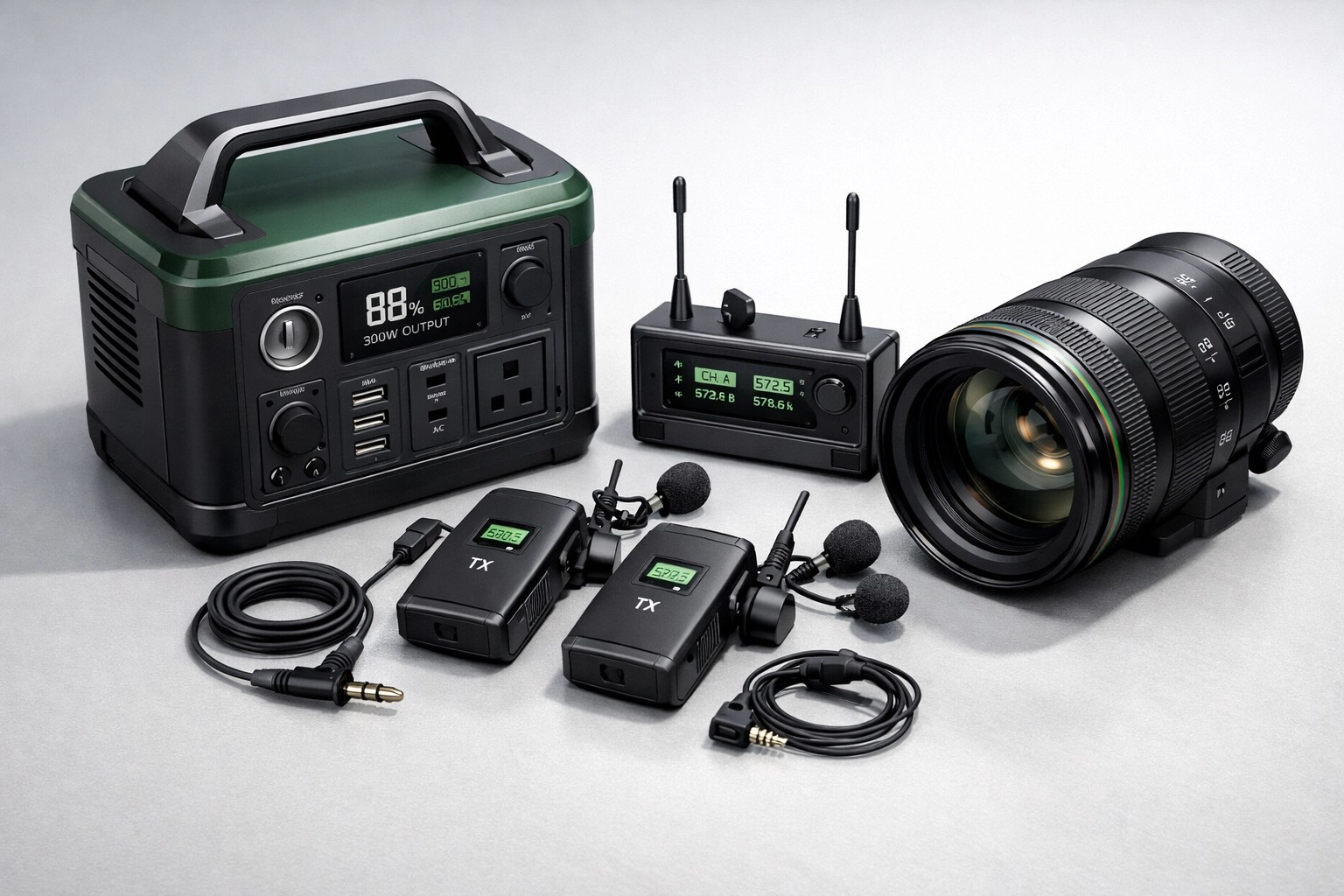
While having the right support systems in place is non-negotiable, the physical hardware you use is what truly elevates the remote experience. We have spent countless hours testing the latest electronics to find the gear that actually stands up to professional use. One standout for any remote professional who needs to stay powered up in the field is the DJI Power 1000 Portable Power Station. Whether you are working from a remote site or facing a local power outage, this unit provides the high-capacity, fast-charging reliability needed to keep your laptops and networking equipment running. You can find this essential tool and more at https://networkrepair1.com/product/dji-power-1000-portable-power-station.
For those who are creating content or leading remote training sessions, audio quality is just as important as your internet speed. The Rode Wireless Go II is our go-to system for crystal-clear communication; its dual-channel capabilities and built-in microphones make it an indispensable asset for any pro-grade setup. Check out the full specs at https://networkrepair1.com/product/rode-wireless-go-ii-dual-channel-wireless-system-with-built-in-microphones.
🚀 Elevate Your Brand with Professional Product Videos!
🔥 Maximize Conversions: Professional video content on Shopify and Amazon is proven to turn browsers into buyers.
📦 Expert Reviews: We don't just film products; we highlight the technical specs that matter to your customers.
🎥 High-Quality Production: Get crisp, engaging videos that showcase your brand in the best possible light.
🛠️ Tech Focus: From laptops to power stations, we know how to sell the gear because we use the gear.
🤝 Let's Collaborate: Ready to take your product pages to the next level?
Visit us at https://networkrepair1.com/colloborate-sponsors to see how we can work together.
- 📺 YouTube: @NetworkRepair1
- 📸 Instagram: @NetworkRepair1
- 🎵 TikTok: @NetworkRepair1
- 👥 Facebook: Network Repair1 LLC
Mentioned items are featured on the YouTube channel!
Loved today’s review? You can find this product and all our top picks on our official Amazon storefront:
https://www.amazon.com/shop/networkrepair1?ref_=cm_sw_r_cp_ud_aipsfshop_XV0ER95A5EVVJDPA7W6A_1
Contact Octavio & The Team:
Network Repair1 LLC
Phone: 555-0123
Email: support@networkrepair1.com
Website: https://networkrepair1.com