
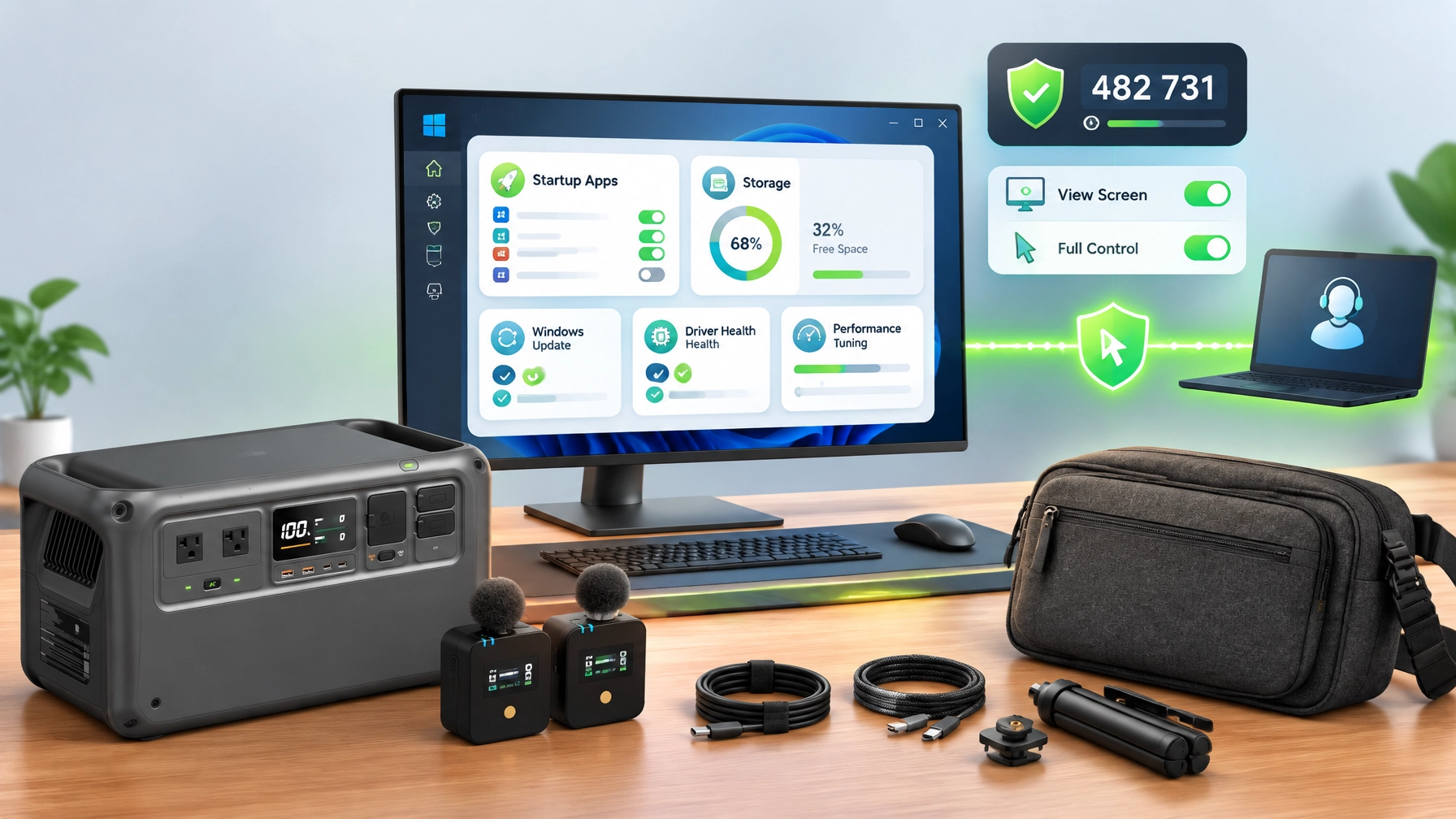
Treat Windows system optimization as a crucial foundation for reliable work, secure remote IT support, and productive home office upgrades in 2026, because startup control, available disk headroom, current updates, stable drivers, and balanced performance settings can significantly improve responsiveness and reduce avoidable interruptions. Remote IT Support Focus: Begin with startup applications, review Task Manager entries, and disable nonessential launchers, update helpers, and background utilities while preserving security software, hardware controls, and services required for synchronization or business workflows, creating a cleaner boot sequence and faster access to essential applications. Maintain practical disk headroom on the system drive, remove temporary files through Storage Sense or Disk Cleanup, uninstall unused applications, and organize large media libraries, because a crowded SSD can limit update space, caching capacity, and overall system responsiveness. Keep Windows current through Windows Update, then review manufacturer-supported GPU, audio, chipset, network, Bluetooth, and storage drivers, since driver alignment can enhance compatibility with monitors, microphones, external drives, wireless networks, and creator applications. Apply performance tuning with a balanced power profile for everyday work, a higher-performance mode when plugged in and editing, sensible background-app permissions, and reliable cooling, while avoiding aggressive registry changes or the disabling of security services that protect the system. Discover the next layer of effective remote computer support through Microsoft Quick Assist, a code-based assistance tool designed for a trusted helper and a Windows user who has intentionally initiated the session; the official Microsoft Quick Assist guidance explains that the helper generates a temporary six-digit security code, the recipient enters that code, and the connection begins only after explicit approval. Use the session deliberately, close banking pages, password managers, private documents, and sensitive business dashboards before connecting, then choose screen viewing when guidance is sufficient and approve full control only when hands-on troubleshooting is necessary, because the recipient remains responsible for accepting, limiting, or ending access. Never accept unsolicited Quick Assist invitations, never share a code with an unknown caller, and never allow remote control during a surprise support call, since legitimate remote assistance begins with a trusted relationship or a request that was intentionally initiated. NetworkRepair1 supports this secure approach through professional remote services for small business IT support, system optimization, network diagnostics, malware removal, Microsoft 365 support, cloud setup, and remote computer support, helping individuals and growing teams stay connected without an on-site visit. Featured Gear Review: The DJI Power 1000 Portable Power Station stands out as today’s clear electronics focus because dependable portable energy strengthens a work-from-home or mobile production setup, supports connected devices during power interruptions, and expands flexibility for creators working beyond a traditional desk. Its product positioning centers on high-capacity portable power, fast charging technology, USB-C compatibility, durable construction, and multi-device charging, making it a practical match for a laptop, display, networking equipment, camera accessories, or audio hardware when a stable power source matters. Review the available connections and intended load before use, prioritize efficient USB-C charging where appropriate, and match the station’s output capability to the equipment being powered, because portable power performs best when the setup remains organized and within rated limits. The DJI unit also complements the RØDE Wireless GO II Dual Channel Wireless System, a creator-focused audio solution with two transmitters, built-in microphones, analog and digital USB outputs, and compatibility across cameras, Windows and Mac computers, mobile devices, video calls, livestreams, tutorials, and product demonstrations. Dual-channel wireless audio can improve interview coverage and simplify two-person recording, while a properly optimized Windows system can support cleaner monitoring, editing, file management, and publishing workflows. Add the Amazon Sling Bag for Kindle as a compact mobility pick for carrying an e-reader and everyday accessories between the desk, office, studio, and travel environment, extending the same organized approach from computer maintenance to personal tech storage. Together, these products reveal a practical home office upgrades 2026 strategy: optimize the Windows foundation, protect remote access, stabilize power, capture clearer sound, and keep essential devices mobile. NetworkRepair1 is also celebrating 13,000 YouTube subscribers and more than 1.1 million lifetime views, milestones that provide meaningful social proof for a growing technology audience seeking dependable tutorials, product reviews, demonstrations, and buying guidance. The electronics collection and shop page bring these recommendations together, while NetworkRepair1’s professional video services help Shopify and Amazon sellers present products through reviews, demonstrations, unboxings, tutorials, feature highlights, and social media content designed to increase visibility and strengthen buyer confidence. Businesses can explore NetworkRepair1 videos and collaboration and sponsorship opportunities to turn product knowledge into polished content, meaningful engagement, and expanded reach. This daily roundup continues the marathon with a clear outcome: better-maintained systems, safer remote assistance, stronger creator workflows, and technology choices that can help individuals and small businesses grow with greater confidence.
Product Visuals


Today’s Featured Store Pick
📺 Featured on the YouTube channel: NetworkRepair1 product reviews, technology tutorials, and creator-focused gear coverage.
Loved today's review? You can find this product and all our top picks on our official Amazon storefront.
Work With NetworkRepair1
🎥 Sell on Shopify or Amazon: We create reviews, demonstrations, unboxings, tutorials, feature highlights, and social media content.
🚀 Boost product visibility: Partner with us to present technology and products to an engaged audience.
🤝 Let’s collaborate: Explore video services and sponsorship opportunities together.
💻 Need support: Access remote IT services for secure troubleshooting and optimization.
Connect With Us
📺 YouTube
🎵 TikTok
📞 805-723-9608
Leave a Reply